

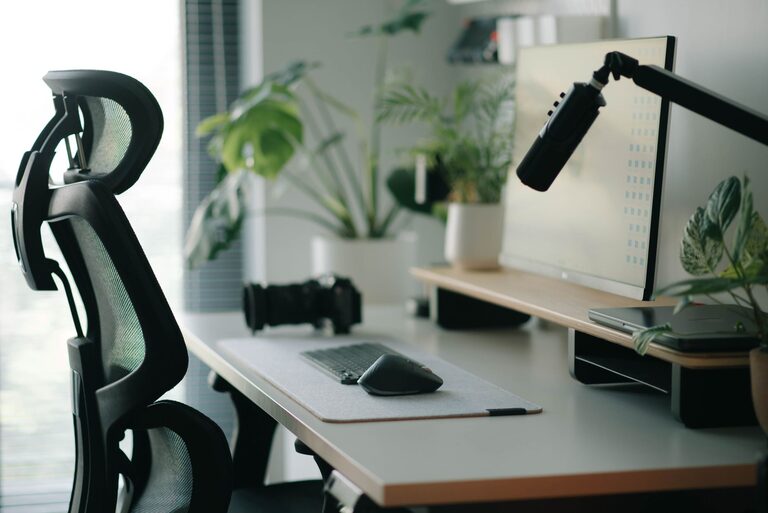
Why Your Home Office Setup Matters
A home office should do more than hold a desk and computer. It should provide a comfortable, organized space where you can work safely and stay focused throughout the day. Small changes to your furniture, lighting, cables, and daily habits can make a noticeable difference.
You do not need expensive equipment or a large room to create a better workspace. Start by looking at how you use the area, then make practical improvements that fit your space and budget.
Choose the Right Location
If possible, place your office in a quiet area with enough room to move your chair and reach your equipment without twisting or stretching. A dedicated room is helpful, but a well-planned corner of a bedroom, living room, or dining area can work just as well.
Consider these points when choosing a location:
- Natural light: A window can make the room feel brighter and more pleasant, but avoid placing your screen directly in front of or behind it.
- Noise: Keep the workspace away from busy walkways, loud appliances, or areas with frequent interruptions.
- Temperature: Avoid blocking heating or cooling vents, and choose a spot with comfortable air flow.
- Storage: Make sure frequently used supplies can be stored nearby without creating clutter.
- Room to move: Leave enough space around the desk to sit down, stand up, and access drawers safely.
If your office shares a room with another activity, use a small shelf, folding screen, or rug to create a clear visual boundary between work and personal areas.
Set Up Your Desk and Chair
Your desk and chair are the foundation of a comfortable office. The goal is to keep your work surface at a useful height while allowing your body to remain relaxed.
Choose a chair that provides steady support and allows you to adjust the seat height. When seated, your feet should rest flat on the floor or on a stable footrest. Your knees should be positioned comfortably, with enough space beneath the desk to move your legs.
Adjust your setup so that:
- Your shoulders remain relaxed rather than raised toward your ears.
- Your elbows stay close to your body while you type or use a mouse.
- Your wrists remain as straight and relaxed as possible.
- Your lower back is supported by the chair or a small cushion.
- Your desk has enough space for your keyboard, mouse, monitor, and frequently used items.
If your desk is too high, raising your chair may help, but make sure your feet still have stable support. If the desk is too low, a monitor stand or adjustable desk accessory may improve the arrangement.
Position Your Monitor
Place your monitor directly in front of you to avoid repeatedly turning your head. The top edge of the screen should be around eye level or slightly below, depending on what feels comfortable. Keep the screen about an arm’s length away and adjust the text size instead of leaning forward.
If you use two monitors, place the one you use most directly in front of you. Position the second screen beside it and angle both toward your chair. This reduces the need to turn your neck while switching between screens.
For a laptop, consider using a separate keyboard and mouse if you raise the screen. This lets you position the display at a better height without forcing your hands and arms into an awkward position.
Improve Lighting and Reduce Glare
Good lighting can make reading and screen work more comfortable. Use a combination of natural light and indoor lighting rather than relying on a bright screen in a dark room.
Place lamps so they illuminate documents and the desk without shining directly into your eyes or onto the monitor. A desk lamp with an adjustable shade can help you direct light where it is needed.
To reduce glare:
- Keep the monitor away from direct sunlight.
- Use blinds or curtains to soften strong daylight.
- Adjust the screen angle slightly if reflections appear.
- Clean the screen regularly with a suitable soft cloth.
- Increase text size and contrast when needed.
Avoid using extremely bright or colorful lighting as your only light source. A balanced, comfortable level of illumination is usually easier to work with for long periods.
Manage Cables and Electrical Equipment
Loose cables can create trip hazards and make cleaning more difficult. They can also become tangled or pulled when equipment is moved. Plan the cable route before connecting your devices.
Use cable clips, sleeves, or ties to group wires neatly. Keep cables along the back or underside of the desk, and avoid running them across walking paths. Leave enough slack for normal adjustments, but not so much that wires collect on the floor.
For electrical safety:
- Do not overload power strips or extension cords.
- Replace damaged cords, cracked plugs, or loose connections.
- Keep power equipment away from spills and damp areas.
- Allow air space around computers, monitors, and other devices that produce heat.
- Unplug equipment before cleaning or moving it.
- Keep cords away from heaters and other hot surfaces.
Use a surge protector from a reputable manufacturer if you need several devices in one location. Keep the power strip easy to reach so it can be switched off when necessary.
Keep the Workspace Organized
A tidy workspace is easier to use and safer to move around. Store heavy items on lower shelves and place frequently used supplies within easy reach. Avoid stacking objects where they could fall when a drawer or cabinet is opened.
At the end of each workday, take a few minutes to:
- Return supplies to their storage locations.
- Clear food containers and drink cups from the desk.
- Coil or secure cables that are no longer in use.
- Remove papers that are no longer needed.
- Check that walkways and exits remain clear.
Use trays, small boxes, or drawer dividers to keep accessories such as chargers, pens, and notebooks organized. Labeling storage can also make it easier to find items without searching through piles.
Support Fresh Air and a Comfortable Environment
A comfortable room can help you stay focused. Open a window when appropriate, keep air vents clear, and avoid placing the desk directly next to a draft. If the room becomes too warm, use a fan or adjust the room’s heating and cooling settings rather than placing a fan where it can knock over papers or equipment.
Keep plants, water containers, and other liquids away from electronics. If you keep food at your desk, use a covered container and clean up crumbs promptly. This helps maintain a pleasant workspace and reduces the chance of attracting pests.
Build Safer Work Habits
Even a well-designed office benefits from simple habits. Change positions regularly, stand during phone calls when practical, and take short breaks to look away from the screen and move around. Set a reminder if you tend to work for long periods without pausing.
Before finishing for the day, save your work, shut down or secure equipment as appropriate, and check the room for hazards. A quick daily reset keeps small problems from becoming larger ones.
Review Your Setup Regularly
Your needs may change as you add equipment, change tasks, or use the space in new ways. Review the office every few months. Check whether the chair still feels supportive, the monitor is positioned correctly, and cables remain secure.
A safer, more comfortable home office is built through small improvements. By choosing a suitable location, adjusting your furniture, improving lighting, securing cables, and keeping the area organized, you can create a workspace that supports productive and comfortable daily work.